- English
- French
- German
- Portuguese
- Spanish
- Russian
- Japanese
- Korean
- Arabic
- Irish
- Greek
- Turkish
- Italian
- Danish
- Romanian
- Indonesian
- Czech
- Afrikaans
- Swedish
- Polish
- Basque
- Catalan
- Esperanto
- Hindi
- Lao
- Albanian
- Amharic
- Armenian
- Azerbaijani
- Belarusian
- Bengali
- Bosnian
- Bulgarian
- Cebuano
- Chichewa
- Corsican
- Croatian
- Dutch
- Estonian
- Filipino
- Finnish
- Frisian
- Galician
- Georgian
- Gujarati
- Haitian
- Hausa
- Hawaiian
- Hebrew
- Hmong
- Hungarian
- Icelandic
- Igbo
- Javanese
- Kannada
- Kazakh
- Khmer
- Kurdish
- Kyrgyz
- Latin
- Latvian
- Lithuanian
- Luxembou..
- Macedonian
- Malagasy
- Malay
- Malayalam
- Maltese
- Maori
- Marathi
- Mongolian
- Burmese
- Nepali
- Norwegian
- Pashto
- Persian
- Punjabi
- Serbian
- Sesotho
- Sinhala
- Slovak
- Slovenian
- Somali
- Samoan
- Scots Gaelic
- Shona
- Sindhi
- Sundanese
- Swahili
- Tajik
- Tamil
- Telugu
- Thai
- Ukrainian
- Urdu
- Uzbek
- Vietnamese
- Welsh
- Xhosa
- Yiddish
- Yoruba
- Zulu
How fast is an automatic CZ changeover?
An automatic changeover on a CZ purlin roll former usually takes about 5 to 30 minutes. The exact time depends on the profile range, the punching setup, and how the supplier counts the clock. A basic programmed size change sits near the low end. A full C-to-Z switch with new punching and cutting settings sits nearer the high end. Manual tooling adjustments on older lines can take 30 to 90 minutes or longer. I recommend timing from the last good piece of one run to the first good piece of the next. Then confirm that number in a factory test with your own drawings.
What Automatic CZ Changeover Speed Really Means
If a CZ purlin roll former keeps stopping, check the safety of the motor and inverter, the sensors and encoders, the hydraulic or air pressure, the direction of the material, the cutting time setting, and the power or heat conditions. The PLC only tells you what the sign means most of the time. This fault can happen over and over if the limit switch is loose or the sensor is dirty. It doesn't matter how many times you turn it back on. I think you should write down what you find and do these checks in this order. On the HMI, a safety stop, a process slowdown, a mechanical jam, and an electrical problem might all look the same. But each one needs a different fix. There is no danger if you press a button or open a guard. The process stops while the PLC looks for a signal, like the home point of the cylinder. When something blocks the wheels, you have a jam. There are many signs that something is wrong with the power, such as a drive code, a broken switch, or losing touch. Before you pick up a tool, putting the pieces together can help you narrow down your search.
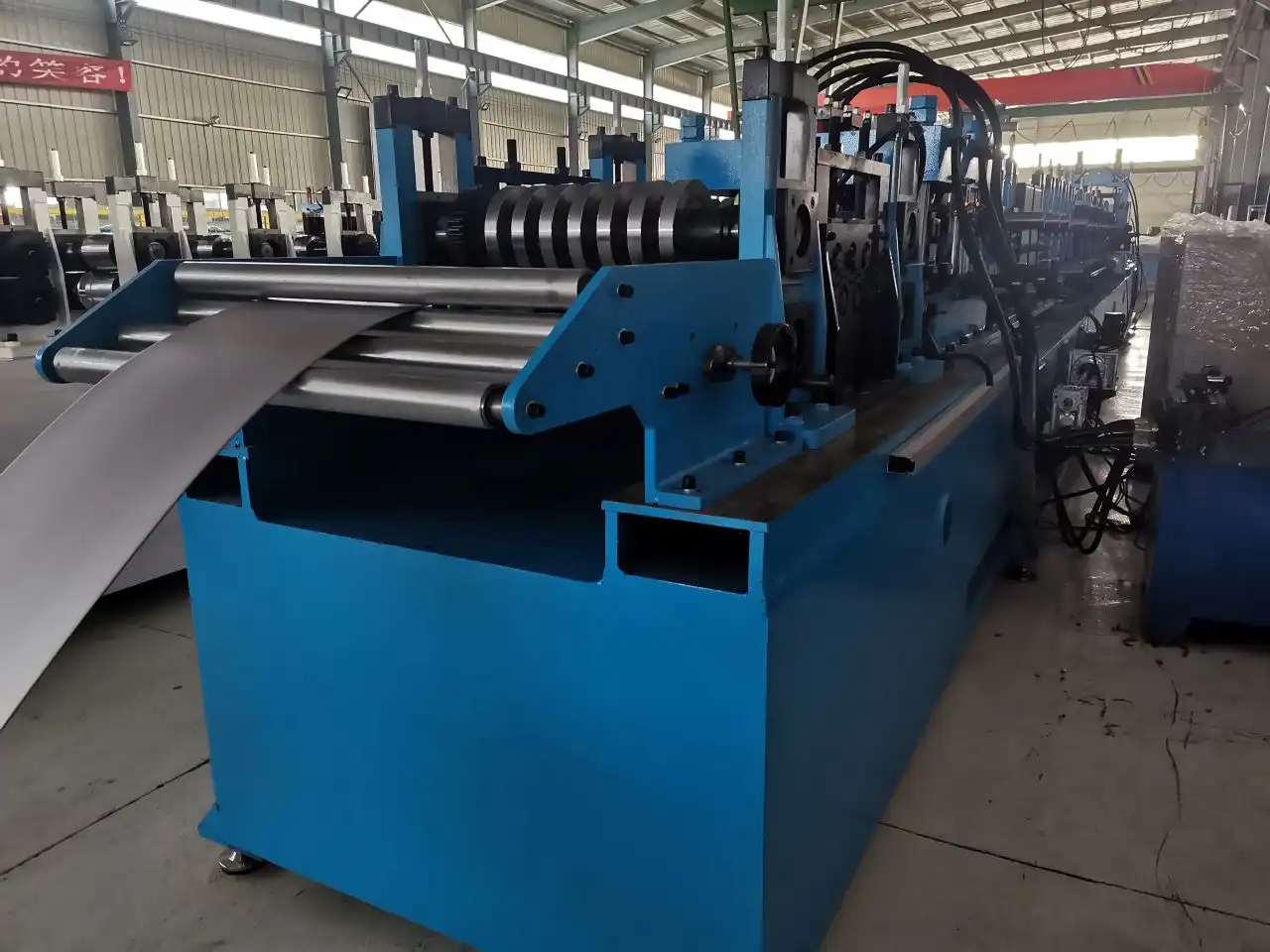
Measure From the Last Good Piece to the First Good Piece
You need to write down the HMI message, the warning code, the line speed, the profile, the coil material, and the stage of the stop. Write down the first time it was turned on, the time it was made, the time it was cut, and the time it was turned off after a long run. A problem that shows up after an hour is usually caused by heat. Most of the time, the cutting unit is to blame when there is a problem after every cut. Before you open the closet or go into a dangerous area, lock out and tag out the power. OSHA's Standard 29 CFR 1910.147 talks about how to handle energy in a business setting. It is never a good idea to go around guards, emergency stops, hydraulic interlocks, or other safety features.
What the Changeover Includes
Every time, it gets the same amount of stress. All three are broken when the engine starts up at full speed and the drive breaks because it has too much weight on it. If a profile gets stuck, cutting tools can be bent, and the blade can only be turned halfway if the pressure signal is weak. It gets rid of hints too. First, look at the warning data to see if what you see on the machine matches the input and output states. Then read the drive error code. What the PLC tells you is the most helpful thing it can do.
Why Speed Matters for Mixed Orders
A safety trip could stop the line even if there is no damage. It's important to check every safety circuit, guard switch, emergency stop button, and remote station. These are the ones that are near the cutting unit and run-out table. A void can damage lines, loosen connections, or move a switch out of place, among other things. This can lead to false trips. If there is a signal that starts the drive, it can be turned off for safety reasons. Even so, the picture would still look good since some of the power would still work. It shouldn't be turned back on once the trigger has been found. After that, test it slowly with all of the safety features turned on.
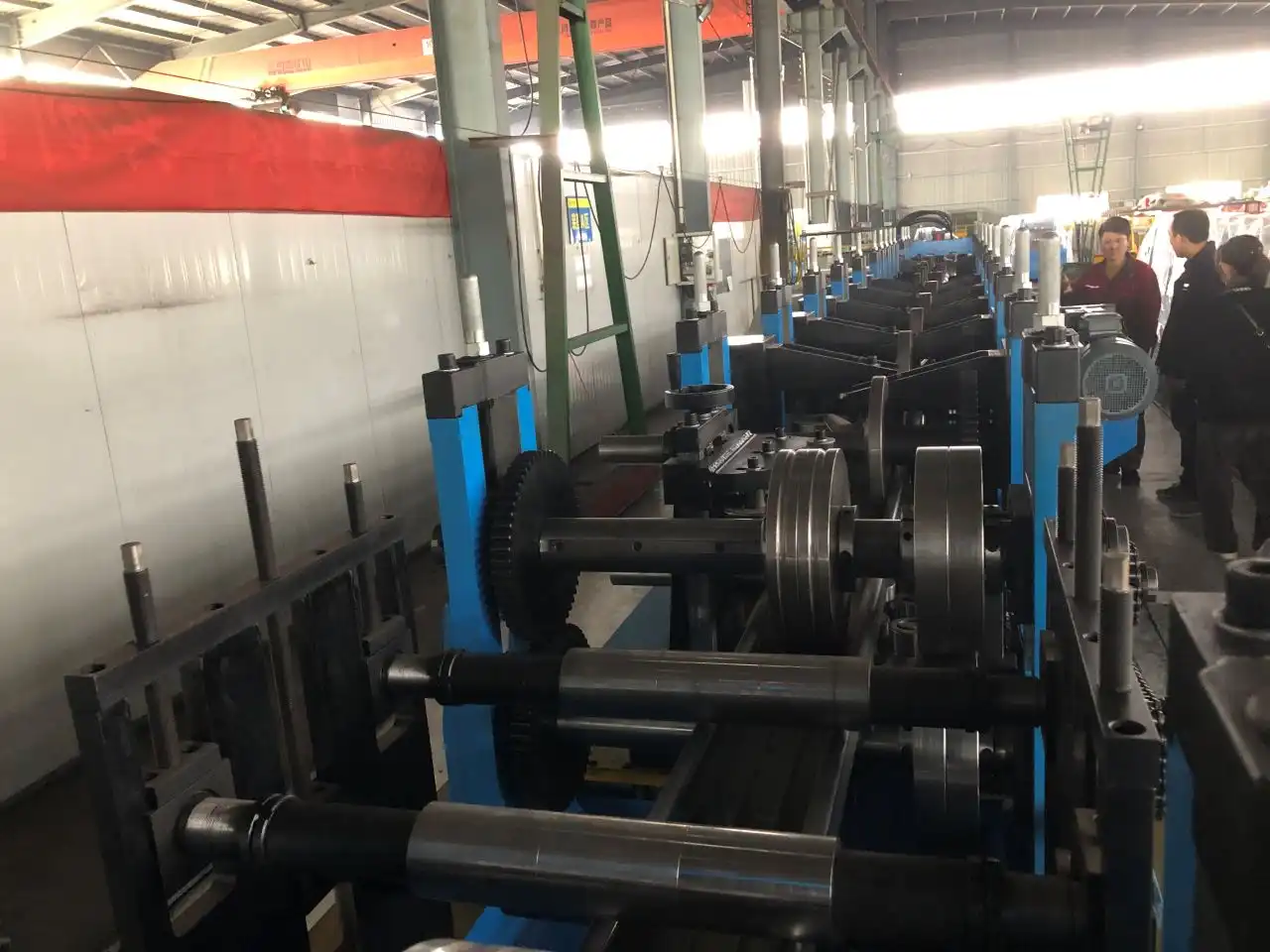
How Fast the Changeover Runs in Practice
The CZ purlin roll former drive might stop working if there is too much heat, power, force, or voltage. Check the screen to see if there are any signs of overheating, overload, overcurrent, overvoltage, undervoltage, or overcurrent. Most of the time, a motor that doesn't work right means that the power isn't working right. If the brush isn't cleaned well, the wrong material is used, or the shaft is damaged, the motor load can go up. As the sheet moves, speeds up, and gets wider, you can see how the fault's time changes. It's time to look into why the problem goes away when the speed is slowed down. The PLC sets up the shape, cut, and put process with the help of encoders and sensors. Make sure it stays by checking the motor and drive. What if the limit switch is changed, the connector is loose, or the cable is broken? The screen might show a process problem. After that, the line could end. Check the line to make sure it is safe. Also, make sure it's easy for the unit to spin. Check the length of the piece you're done with against the length shown. If they don't match, there may be a problem with the feedback. That's why you should keep power wires away from signal wires. Electric noise and tight drives can also mess up signals.
Typical Time Ranges
A lot of power flows through the parts that cut, lock, and return the tools. The next PLC step can happen because there isn't enough air, a leak, a clogged filter, hot oil, or a worn-out cylinder. If you only check the pressure gauge when the machine is not in use, things might be okay. Check the pin that goes into it as well as the part itself. That is, the PLC could be trying to figure out what a push button or the home position means. Before you go back to full speed, fix any air leaks or holes.
Factors That Change the Result
I believe that both material properties and alignment issues are caused by things that don't fit with how the machine was built. You should think about the coil's width, thickness, yield strength, edge burrs, bending, and uncoiling strain. But if the entry guides, leveler rollers, or forming stations are not set up right, the strip can be pushed off-center, and the forming resistance can go up. The drive might fill up. Check out the shaft, the bolts, the bearings, and the space between the rollers. Check the profile too to see if there are any twists, waves, scratches, or buildup. Next, run a coil that is the right size and has clear lines that show where the machine and material flaws are.
Automatic vs. Semi-Automatic Adjustment
The moving shape, the eraser input, and the cut-off length should all be the same. If a blade, punch, die, or cylinder doesn't come back all the way, the next run can be stopped. You should also check the home-position sensors and any scrap metal that is close to the cutter, as well as the movement of the cylinder. Write down the length that was programmed, and then check it against the length that was coded. If the encoder coupler can move, this is a must. You might not be in line if the setting is too short, too fast, or too slow. To make this happen, a custom PLC cz purlin roll former might need different cutting recipes for each type of material, shape, and thickness.
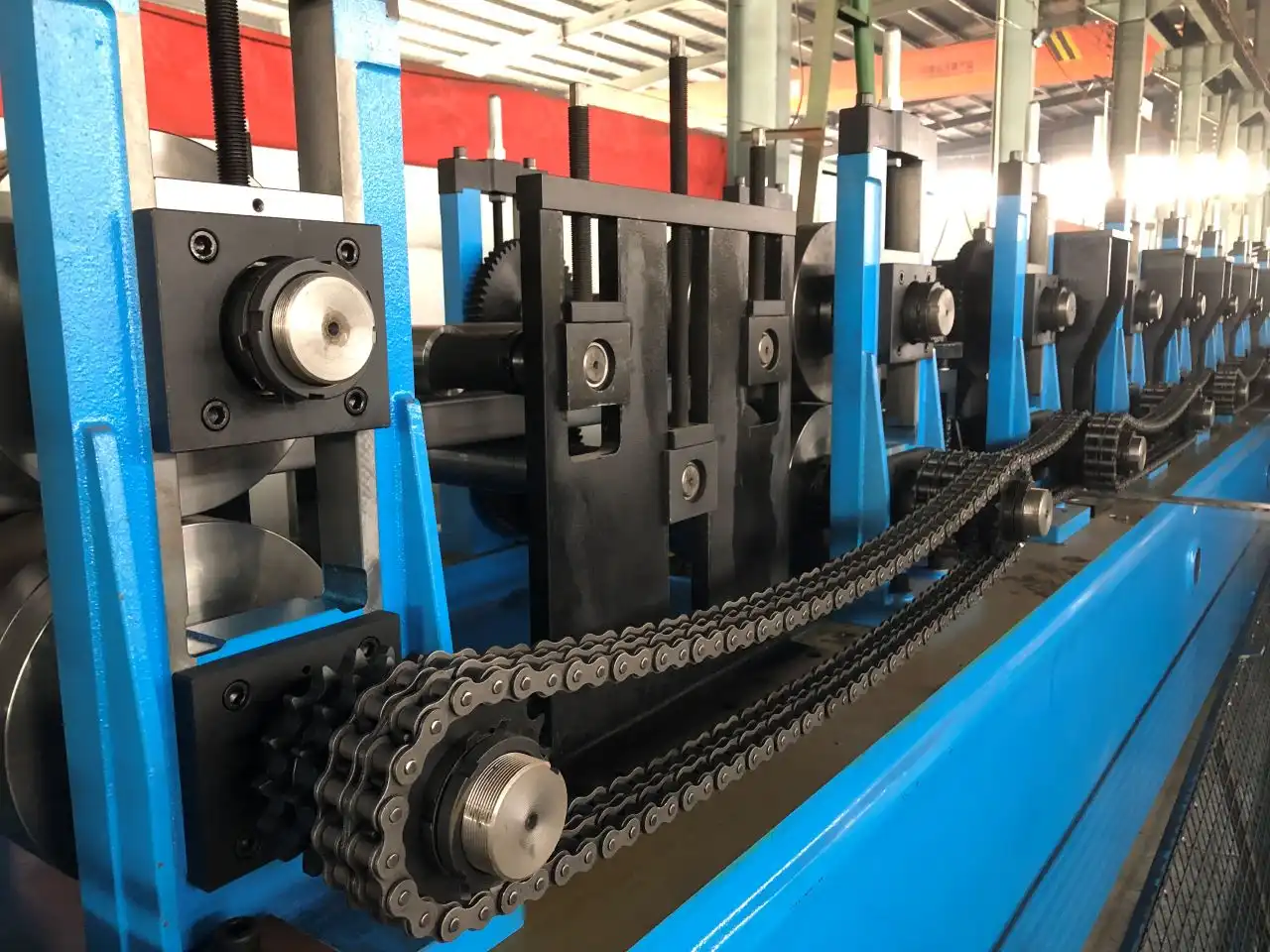
How Our CZ Purlin Roll Former Works
Sometimes the cz purlin roll former power goes out, but only after long runs or when the cabinet is already warm. It is important to check the control power, phase balance, switches, and transformers. Also, make sure that the links are tight. These are the Ethernet or fieldbus wires that connect the PLC, HMI, inverter, motor drives, and remote I/O. Look around to see if there are any breaks. Clean the fans, screens, and vents in your closet. That's why a lot of people wrongly blame the PLC. Dust, water, heat, and rust are some of the things that can damage drives and make them restart for no reason.
Line Layout and Process
It takes a while to fix things that were put together wrong. In addition to making sure the power and safety are on, write down all of the alarms that go off and check the PLC's inputs and outputs. Finally, make sure the linked fluid or mechanical system works properly. Plan how you'll end the test. Last, make sure that the tests are taken slowly and without any stress. In a log, you can write down your work, profile, speed, temperature, notice code, fix, and test result. To save the PLC and HMI settings, do what the maker tells you to do. Alarms, leaks, guards, rollers, noise, and heat can be found early on if you check them every day.
Core Product Specifications
Here are the core specifications of our C and Z purlin making machine:
- Forming and control: For stops that happen over and over, you don't need a new PLC; it makes sense to fix the processor when there is a problem with the wiring, sensors, drives, parameters, or mechanical parts.
- Material and structure: When the PLC or HMI is old, the symptoms are bad, or contact is lost, retrofitting is a good option to save the heavy H-steel frames and GCr15 shafts from total replacement.
- Punching and options: The machine may not be fast enough, accurate enough, or automatic enough for your needs, so getting a new line might save you money in the long run.
Line Speed, Punching, and Real Output
Don't just look at price and speed. What kinds of servos, HMIs, PLCs, and inverters do they sell? Find out if the machine has place to store recipes, a way to back up data, a past of alarms, and a way to fix things from away. Make sure the specs fit the type of material, its thickness, width, profile, output goal, and the change in length between the cuts. ZTRFM makes a lot of different kinds of cz purlin roll former lines, such as roof panels, C purlins, top caps, and standing seam panels. A PLC runs these lines, and hydraulics are used to cut them.
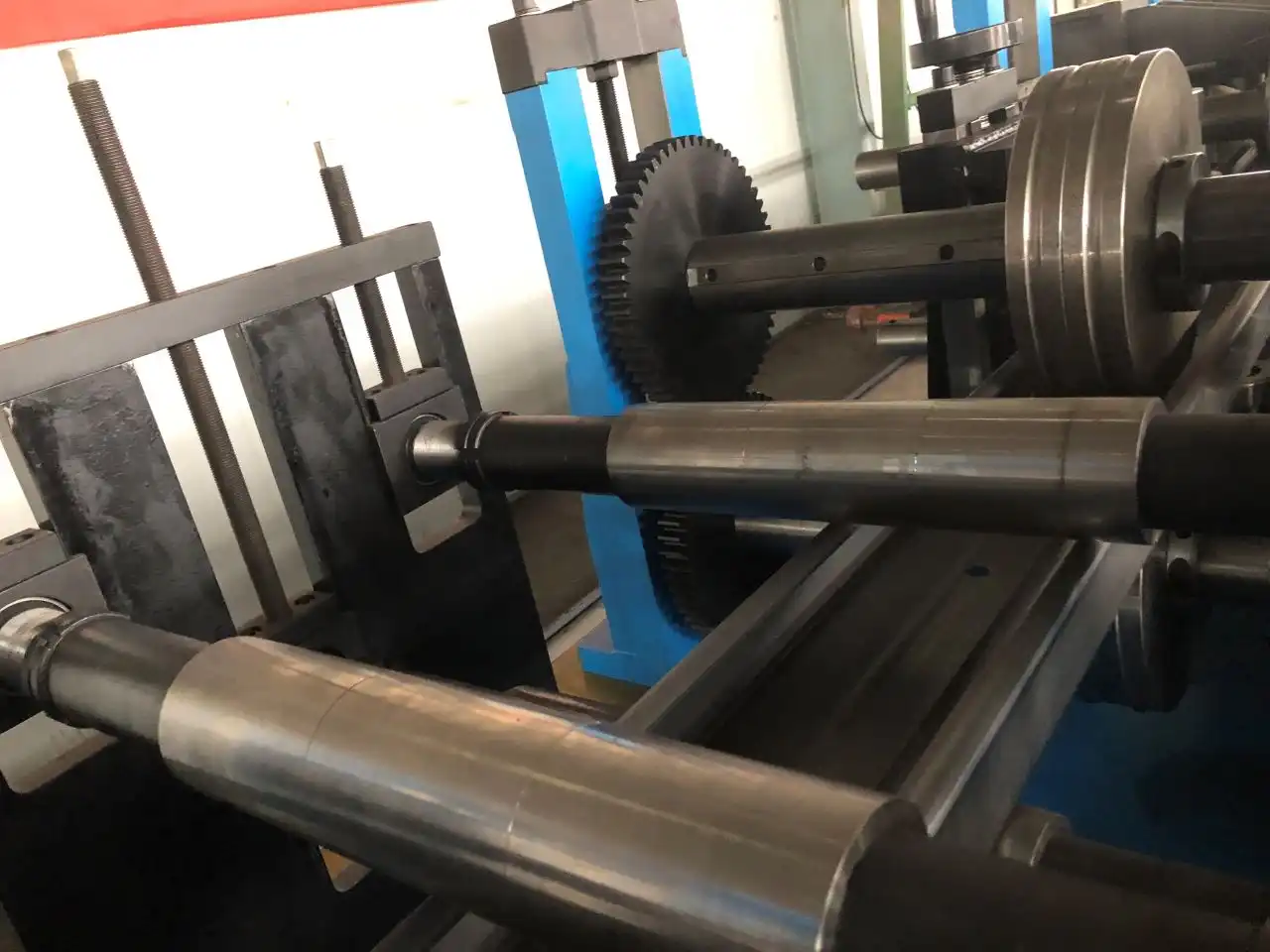
How to Choose and Keep Changeovers Short
This kind of C-purlin roll former doesn't always work. This means it's not likely that the PLC is broken. When a warning goes off, it could be because of the drive safety, the fluid pressure, the way the material is lined up, the cutting time, or the power or heat conditions. The procedure is always the same as long as the warning, date, and time of the end are written down before the device is turned back on. Yes, that's what's wrong, and a check shows it. It's easier to figure out with the help of the alarm data and the I/O state. It's best to check, log, and back up settings often so that things don't stop all of a sudden. Fixing, retrofitting, or replacing should be based on how long the machine is down, how much work you need to get done, and how much help you need with parts.
CZ Machine or Separate C and Z Machines
A lot of people want to know why their machine stops working even though the alarm isn't sounding. Most of the time, vague warnings are caused by unstable inputs, wires that aren't connected correctly, lost contacts, power drops, or the box getting too hot. If the machine is too full, the safety can also go off. First, check the plugs, the power source, and the weather.
Specifications and Supplier Checks to Request
How often should I check the machine? Every day, check the rollers, doors, sounds, heat, and leaks. What the maker says and how they are used are the only things that matter. You should grease, clean, and take care of the filters, encoder connections, and wires once a week or once a month.
Habits That Keep Changeovers Short
What should I do now that I've changed the PLC? Not at all. Most of the time, the machine stops when there is a problem with the lines, sensors, drives, hydraulics, or materials. First, see if the controller is broken before assuming a software fault.
Conclusion
I would appreciate it if you could offer information on the conditions that are covered by the guarantee, whether or not there are any replacement parts accessible for the CZ purlin roll former, the purpose of the guarantee, and the manner in which it will be applied. In the event that you are looking for assistance or a price, I would appreciate it if you could email me a little clip, the model, the serial number, images of the warning, drive codes, and profile drawings. Your contribution would be much appreciated.
FAQ
1. Why do you need to stop?
Vague warnings are often caused by unstable inputs, wires that aren't connected correctly, lost contacts, power drops, or the cabinet getting too hot. If the machine is too full, the safety can also go off.
2. How often should I check the machine?
Every day, check the rollers, doors, sounds, heat, and leaks. Grease and clean the filters, encoder connections, and wires once a week or once a month.
3. What information do you need for a quotation?
Please send photographs of the alarm, model details, material details, and profile drawings to zhongtuorollforming@gmail.com.
Talk to ZTRFM About Your CZ Purlin Roll Former
Why do you need to stop? ZTRFM can look into it or give you a new price. Photographs of the alarm, model details, material details, and profile drawings can be sent to zhongtuorollforming@gmail.com. Before you look for a CZ purlin roll former maker, you should know who you are, what materials you want to use, how much you want to make, what range of cut lengths you are okay with, and how much automation you need. Our techs can show you how to do things, try them, set them up, and get you new parts. They can give you a set answer or a unique answer.
References
1. American Iron and Steel Institute, North American Specification for the Design of Cold-Formed Steel Structural Members (AISI S100), 2016
2. ASTM International, ASTM A653/A653M Standard Specification for Steel Sheet, Zinc-Coated (Galvanized) or Zinc-Iron Alloy-Coated (Galvannealed) by the Hot-Dip Process, 2022
3. George T. Halmos, Roll Forming Handbook, CRC Press, 2005
4. Shigeo Shingo, A Revolution in Manufacturing: The SMED System, Productivity Press, 1985
5. Metal Building Manufacturers Association, Metal Building Systems Manual, 2018
6. G. J. Hancock, "Cold-Formed Steel Structures," Journal of Constructional Steel Research, 2003